CTC Math Curriculum Review and Giveaway!
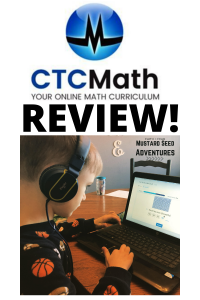
I think I have finally found the PERFECT math for my 7 year old, I’m so excited to share it with you and tell you more about how awesome this math curriculum is! This isn’t just for homeschoolers either! Bubby, my 7 year old, does not like using lots of manipulatives or sitting in front of a book or doing worksheets all day. He HATES it. I wanted to find a computer based program that would teach him (because he and I butt heads, especially with math) and keep his attention. A little fun and games added in wouldn’t hurt either!

Then I discovered CTC Math – it’s an online math curriculum for K-12 and it’s NOT aligned with common core math. You have a space for the parent to login (or teacher if you are using this for a large class) where you can access your child/children’s grades, tasks, etc. I LOVE that I can schedule what I want my kids to do each day.
Now, I wanted to share what this curriculum looks like. When I am searching for new curriculum for my children I want to SEE what I’m purchasing or trying, so I will be sharing a LOT of screenshots with you.
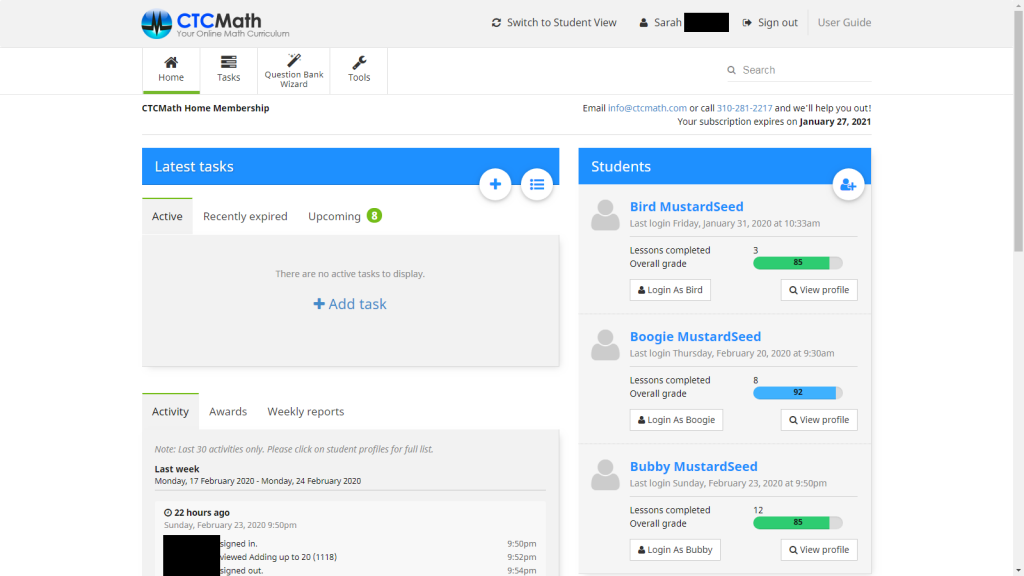
As you can see in the image above, on the parent’s screen you can see each of your students and the levels and grades they have on the right. On the left is where you’ll see the tasks – we don’t have any tasks for today, but in the “upcoming” tab we have tasks coming up for the remainder of this week. I can switch to student view to take a peek at what my kid’s will be doing, I can create new tasks, create a question bank, etc.
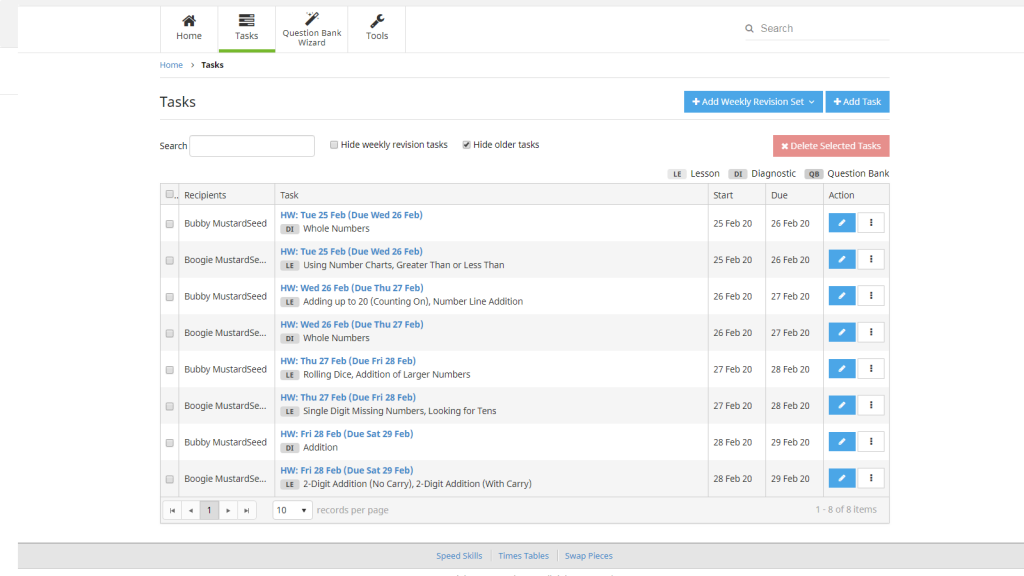
Here is the tasks tab from my account – this is where I schedule what I want them to do each day. We work on a Tuesday-Friday schedule (aka 4 day week), so I have scheduled what I want them to complete each day. Some days are lessons, others are diagnostic tests from sections they have completed.

This image above is from Bubby’s account. (I’ll share how you can change the colors of your screen further into this review.) On the main screen you have a main lessons page. Bubby can click the next section (#4) that he needs to start on, or he can click above where it says Tasks. That’s where he will click tomorrow to start his work.
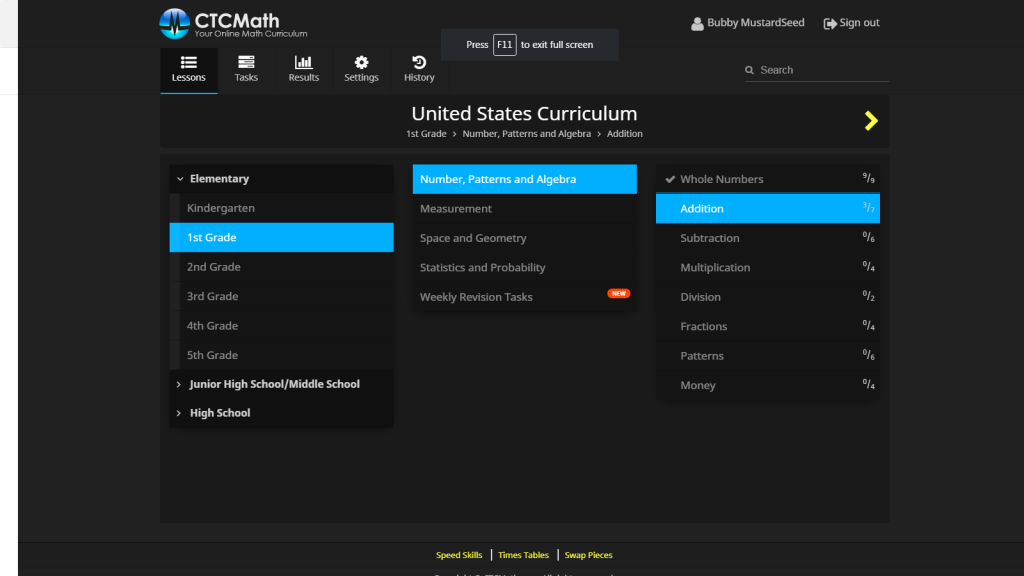
You can also click on the Lessons tab to see all the grade levels, sections and lessons. You can see that Bubby is doing 1st grade level, and he’s working on the first section in Addition.

There is also a tab with Results – this shows what rating your child has received for each individual lesson. Now I have it set where they have to get a minimum of 80% before they can move on to the next level. I haven’t figured out why, but Bubby and I went back to Lesson 6 and worked through it together and he received 100%, but it hasn’t reset yet.

This is where you can change the color theme, add an email address and choose which reports you want to receive. Bubby chose the first color theme and Boogie chose her own!
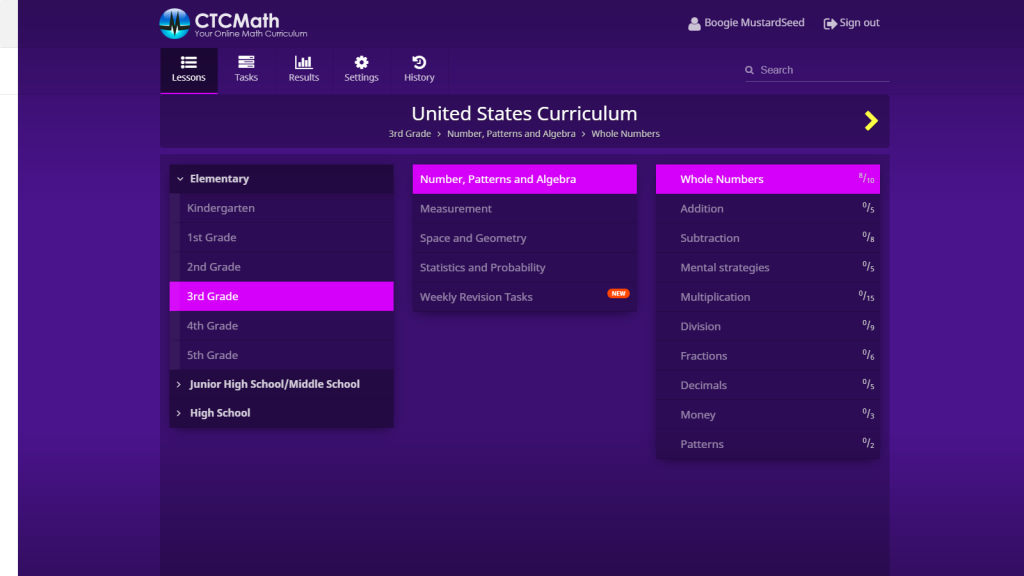
This is Boogie’s Lesson screen to give you an idea of what a different grade level looks like. Boogie is enjoying this curriculum as well, though we are mainly using it for review for her as she has another curriculum she loves. I am however considering switching 100% to this for her for next year!
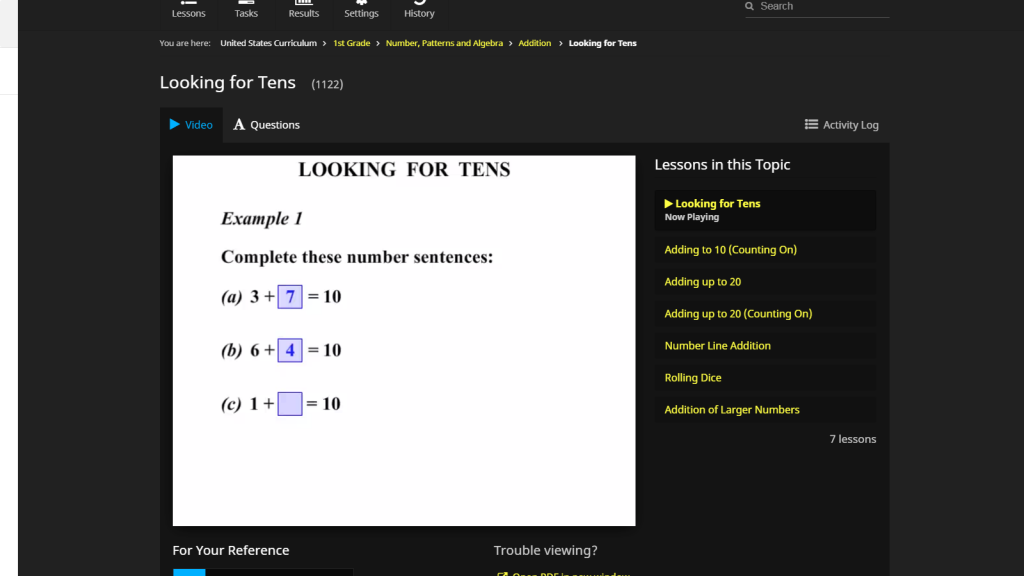
This is a glimpse of a lesson – this is the first lesson in the 1st grade level. Your child watches a video for each lesson, they go step through step on how to solve the problems. I like to have Bubby pause the video to figure out the answers himself and then play the video to see if he got his answers correct. He will sometimes watch it twice to make sure he understands the concepts and then moves on to the questions.

This is what the Questions section looks like, if your child has trouble reading the instructions it has a speaker button you can click to have it read to you. This has been great for Bubby as he is an early reader who still struggles sometimes.

There are two super fun extras included with this curriculum that I love. The first, pictured in the image above, is the Speed Skills game. There are multiple levels with different types of math (ie addition, multiplication, etc.) where your child can get extra practice with those basic math facts. Bubby loves racing the clock, so we set a timer to see how long it takes to finish each batch.

The second game is called Times Tables Shoot ’em Up – it’s a fun multiplication game where you have to shoot the alien ship with the answer to the multiplication fact. Bubby isn’t doing multiplication yet but Boogie loves it!
There’s an additional game called Swap Pieces we haven’t tried yet, it’s a tough game and I’m afraid Bubby will get frustrated with it, but it’s worth checking out!
Overall, I’m very impressed with the content and presentation of the math lessons and quizzes. It’s made a world of difference for my son, and I’m so grateful for that. I was hoping to utilize this with my 5 year old, Bird, she will be starting kindergarten this fall. However, I feel that even the kindergarten levels are a little too advanced for her just yet. I do think some basic reading skills would be beneficial before using this, but we are going to try again in a few months and see how she does.
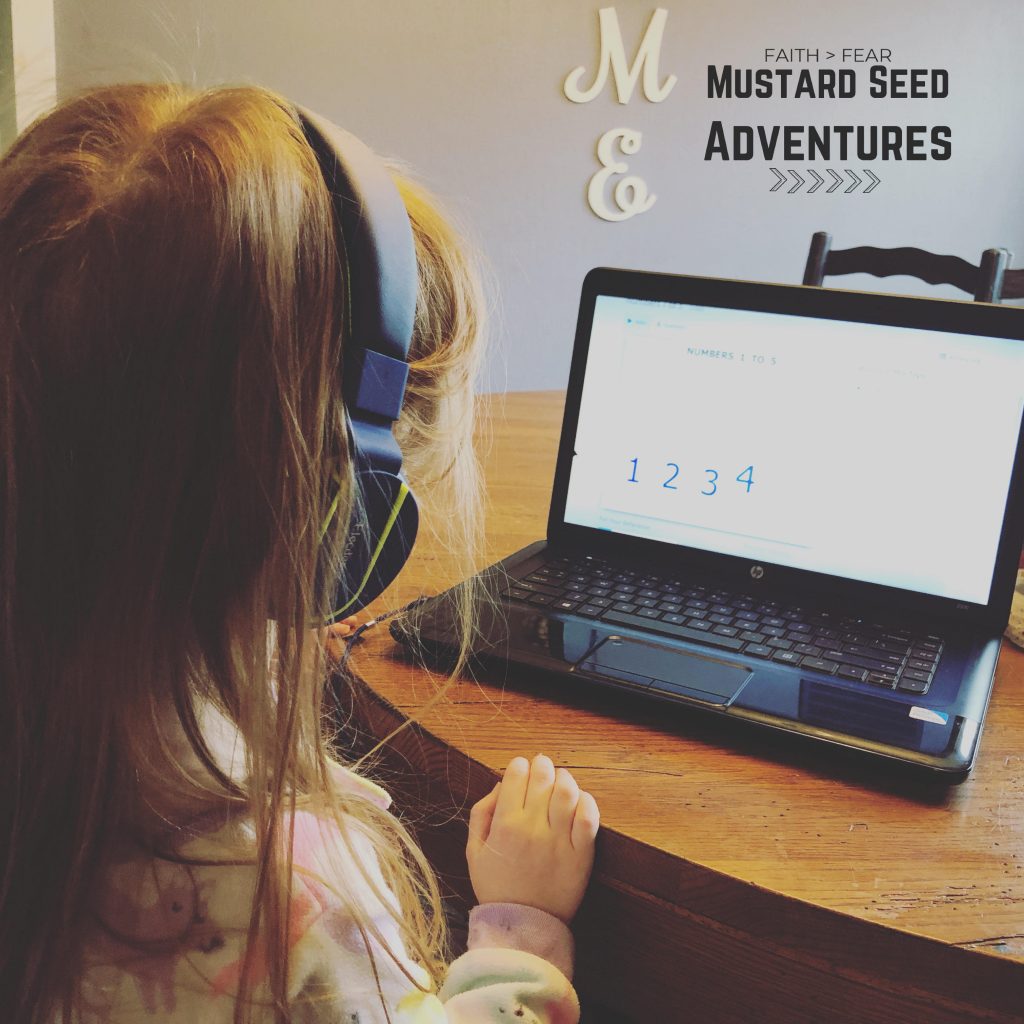
I love that I can plan out our week right in the site, that I can have my children redo lessons or review lessons before moving on, and I LOVE that they enjoy it. That’s the most important thing! I want them to LOVE to learn!
You can check out CTC Math and try it for FREE for 4 weeks! Just click the image below to head over to CTC Math and sign up for a free trial. No credit card required, this trial is entirely risk free. And you can also receive 50% off by clicking HERE if you decide to purchase a subscription!

Want to WIN a free year subscription to CTC Math?! Just enter below for a chance to win, this is a CTCmath Family Membership Giveaway ($148 value)!
CTCmath Family Membership Giveaway ($148 value)!
a Rafflecopter giveaway
I was sponsored by CTC math to review their comprehensive online math curriculum program and am excited to share my experience as well as an awesome giveaway! All opinions are mine alone. For more information please read my full disclosure. (Link to disclosure policy)